Write in Notion. Publish instantly.
 Write in Notion
 Publish to WordPress
Who is this for
Built for how you work
Personal Bloggers
Write in Notion, publish to your WordPress blog without touching the dashboard.
Content Teams
Manage multiple writers in one Notion database with automated publishing.
Technical Bloggers
Connect once and forget. Notipo syncs in the background so you can focus on writing, not WordPress.
Ready-made template
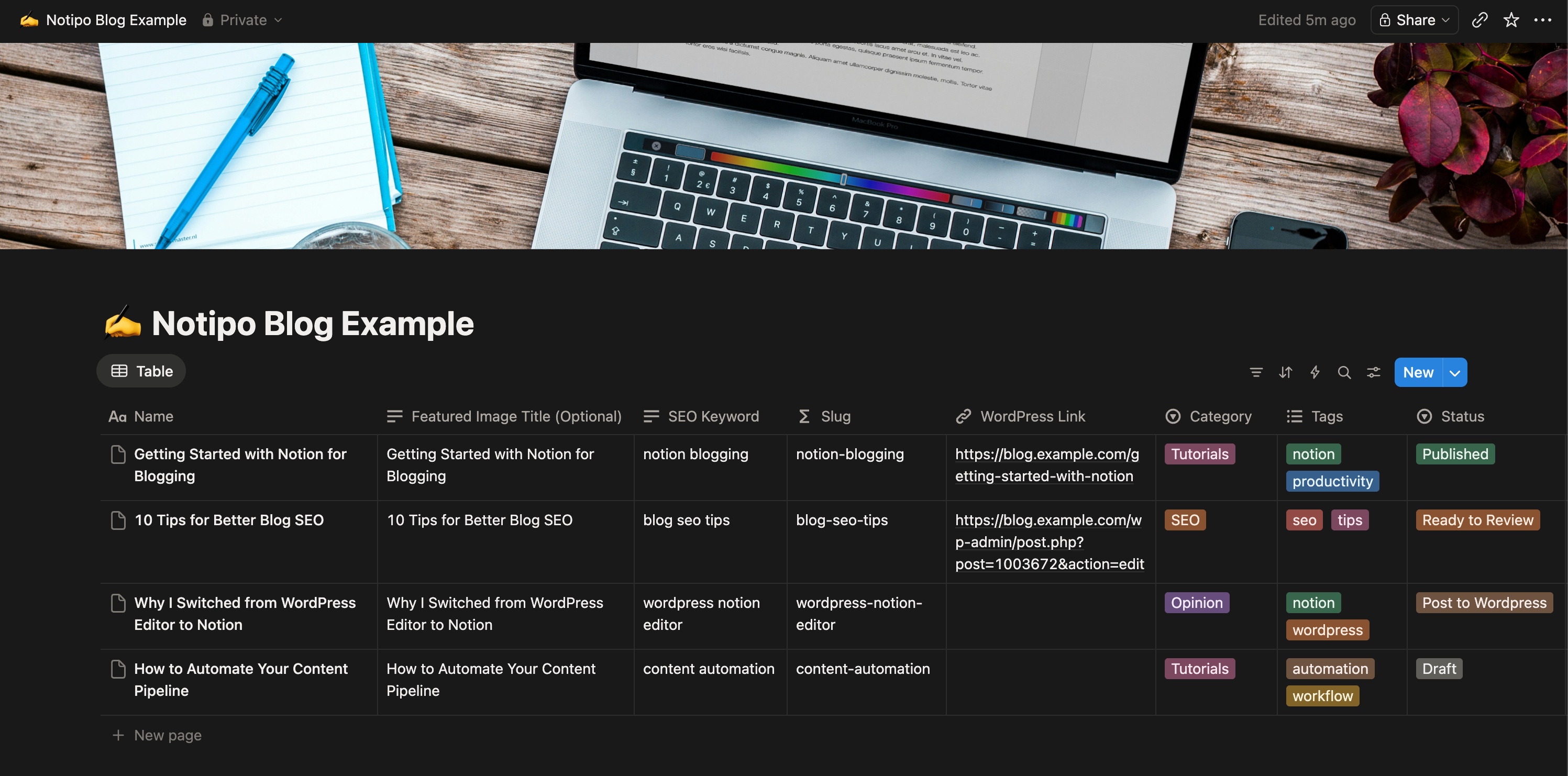
Start with a Notion database that just works
Duplicate our template, connect your WordPress site, and start publishing. All the properties Notipo needs are already set up.
How it works
Three steps. Zero WordPress logins.
Change a status in Notion — Notipo handles everything else and updates you in real time.
Trigger a sync from Notion
Set the status to "Post to Wordpress" in your Notion database. Notipo detects the change within 60 seconds — or instantly with the Sync Now button.
Notipo processes everything
Images are uploaded to WordPress, featured images generated, code blocks formatted, and Rank Math SEO metadata applied — all automatically.
Review and publish
Your WordPress draft is ready. Set Notion to "Publish" and it goes live — Notion updates to "Published" with the live URL.
The full pipeline at a glance
Features
Everything you need to publish from Notion
From writing to publishing — one seamless pipeline with zero manual WordPress work.
Write in Notion
Use Notion as your CMS. Change a status to trigger a sync — no plugins, no exports, no copy-pasting.
Instant Sync
Hit the Sync Now button on the dashboard for immediate publishing. No waiting for the next poll cycle.
Auto-Sync Images
Inline images are downloaded from Notion, uploaded to your WordPress media library, and cached for instant re-syncs.
Featured Images
Auto-generated 1200x628 OG images with category backgrounds and title overlays. No design tools needed.
SEO on Sync
Rank Math metadata applied during sync — focus keywords, title patterns, and descriptions ready before you even review the draft.
Code Highlighting
Support for Prismatic, Prism.js, Highlight.js, and WP Code blocks with automatic language normalization.
Pricing
Simple, transparent pricing
Start free. Upgrade when you need featured images and faster syncing.
Free
For personal blogs and getting started.
- 5 posts per month
- Poll-based sync (5 min)
- Code highlighting
- SEO metadata
- Draft & review workflow
Pro
For serious publishers who want the full pipeline.
- Unlimited posts
- Featured image generation
- Webhook-triggered sync
- Instant Sync button
- Priority support
No credit card required
FAQ
Frequently asked questions
Do I need any WordPress plugins?
What happens to my existing WordPress posts?
Can I use any Notion database?
How does the free trial work?
What if I cancel my subscription?
Start publishing from Notion in minutes
Connect Notion and WordPress, change a status, and watch your post appear. Free to start — no credit card needed.
Get Started Free